NFC TAP RECEIVEDWHAT / 00 · SIGNAL ?

WHAT’S UP?

You found the original WHAT. A little question mark with a digital life. What happens next is up to you.

THE FIRST SIGNALOne tap. One question. A whole world of WHATs.
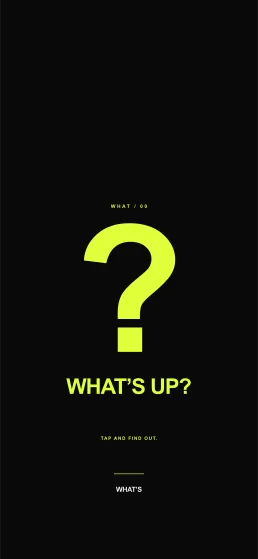
SIGNAL ? wallpaper preview: an acid-lime question mark on black, with clear space for the clock.
TAKE YOUR WHAT WITH YOU

Your WHAT. Your screen.

A matching wallpaper. A little more you.

WHAT = NFC OBJECTWHAT’S = REUSABLE DOCKDIGITAL RESPONSE / LIVE

PHYSICAL → DIGITAL / THE PHONE TAP

BRING YOUR PHONE CLOSE

One physical WHAT.
One matching response.

The interactive chooser above previews the result. In physical use, the NFC tag inside the installed WHAT tells the phone which experience to open.

WHAT’S phone-tap journey showing a Social Battery WHAT installed in its reusable dock, a phone brought close, NFC detection, and the matching Social Battery 03 percent digital experience on the phone screen.
WHAT INSTALLED → PHONE CLOSE → NFC DETECTED → EXPERIENCE OPENSNO BATTERY IN THE WHAT

SWIPE THE PHONE INTERACTION VISUAL TO EXPLORE →

  1. 01WHAT installed

    The chosen collectible sits securely in the reusable dock.

  2. 02Bring phone close

    Hold the phone’s NFC area near the back of the WHAT.

  3. 03NFC detected

    The passive tag inside that WHAT identifies its destination.

  4. 04Matching experience

    The phone opens the response created for that WHAT.

SIGNAL ? wallpaper

SIGNAL ? wallpaper: an acid-lime question mark on black, with clear space for the clock.

1290 × 2796 · PNG
Space above for your clock.

Change the WHAT.
Change your screen.

Save the image, then set it as your wallpaper on your phone. This website cannot change your lock screen automatically.

Open full-resolution image ↗ Download PNG

IPHONE

Open the image. Touch and hold → Save to Photos. In Photos, open it → Share → Use as Wallpaper. Adjust the crop, then add it to your Lock Screen.

ANDROID

Open the image. Touch and hold → Save or Download image. In your Gallery or system Wallpaper settings, choose the saved image → Set as wallpaper → Lock screen. Labels vary by phone.

Keep the artwork below the clock when cropping. If a download goes to Files, open it there and save it to Photos or your Gallery first.